

Capture fast, decide later: inbox zero for your tasks
Write every task down the moment it appears, then sort them all in one short session. Two separate steps keep your head clear and your list honest.
Ideas and requests arrive at the worst times: in the middle of a meeting, on the way out of the door, at eleven at night. If you try to decide what to do with each one on the spot, you lose your train of thought. If you try to remember it instead, part of your attention stays busy holding it, and some of it slips away anyway.
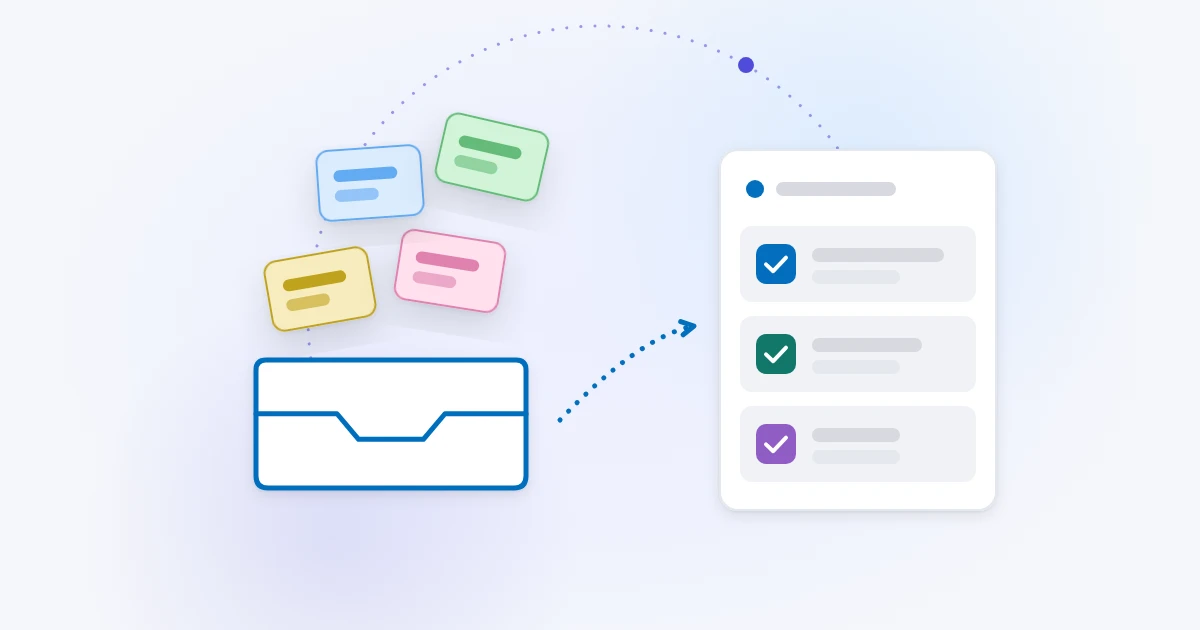
The fix is to separate two jobs that we usually mix: capturing a task and deciding about it. Capture should take seconds and need no thought. Deciding happens later, all at once, in a calm moment. People sometimes call the result "inbox zero", borrowing the idea from email: a place where new things land, and that you empty regularly.
Step one: capture everything, quickly
Capturing has one rule: it must be faster than remembering. If writing a task down takes more effort than keeping it in your head, you will keep it in your head.
That means:
- One place. Pick a single inbox for new tasks. A list called Inbox works well. Not three notebooks, two apps and the back of your hand.
- Always within reach. On your computer and on your phone, so you can capture wherever you are.
- No sorting at capture time. Do not pick a project, a tag or a perfect title. Write enough to understand it tomorrow and move on.
A good capture is short and starts with a verb when it can: "Call the landlord about the heater", not just "heater". If a date is part of the request, write it in. Everything else can wait.
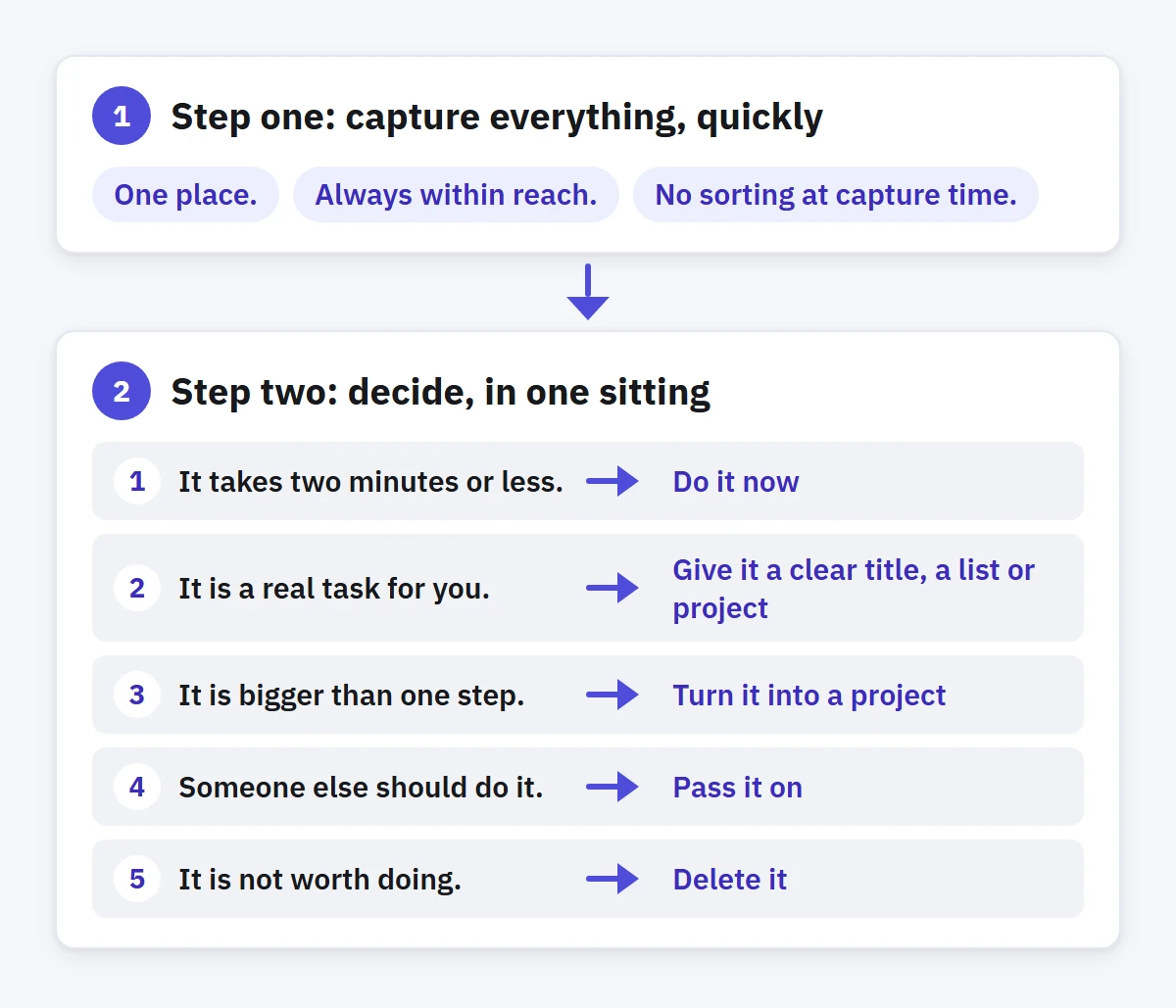
Step two: decide, in one sitting
Once or twice a day, or at least every evening, open your inbox and go through it from top to bottom. Take each item once and make a decision before moving to the next one. For every item, ask: what is this, and what is the next step?
The answer is always one of a few things:
- It takes two minutes or less. Do it now. Filing it would take longer than doing it.
- It is a real task for you. Give it a clear title, a list or project, and a date if it truly has one. Set its importance and urgency.
- It is bigger than one step. Turn it into a project, or add sub-tasks for the first few steps so the next action is obvious.
- Someone else should do it. Pass it on, and keep a task to follow up if it matters.
- It is not worth doing. Delete it. A short list you trust beats a long one you avoid.
Deciding does not mean polishing every word. Make each title clear enough that you will understand it in a week, without remembering where you were when you wrote it. "Reply to Ahmed" needs a few more words: "Reply to Ahmed about the price quote".
When you finish, the inbox is empty. That is the whole point: every item now lives where it belongs, with a decision attached.
Why the split works
Capturing quickly keeps your attention on what you are doing. You note the thought and return to your work, and the thought is safe. Deciding in a batch is faster than deciding one by one, because you stay in the same frame of mind and you see each task next to the others. It is easier to judge whether something matters when you can compare it.
The split also keeps your main lists clean. When tasks arrive only through the inbox and leave it only after a decision, your project lists contain real, sorted work instead of a mix of half-thoughts.
Common ways it goes wrong
- The inbox becomes the to-do list. If you never empty it, it turns into the long, unsorted list you were trying to escape. Put the sorting session in your calendar.
- Sorting during capture. Choosing a project for every new thought feels tidy but slows capture down until you stop doing it.
- Dates on everything. A due date should mean "this is due", not "it would be nice by then". Fake dates bury the real ones. Tasks with no real date can stay undated.
- Keeping everything. Some captured ideas look less brilliant the next morning. Deleting them is a decision too.
How to do this in Enjazy
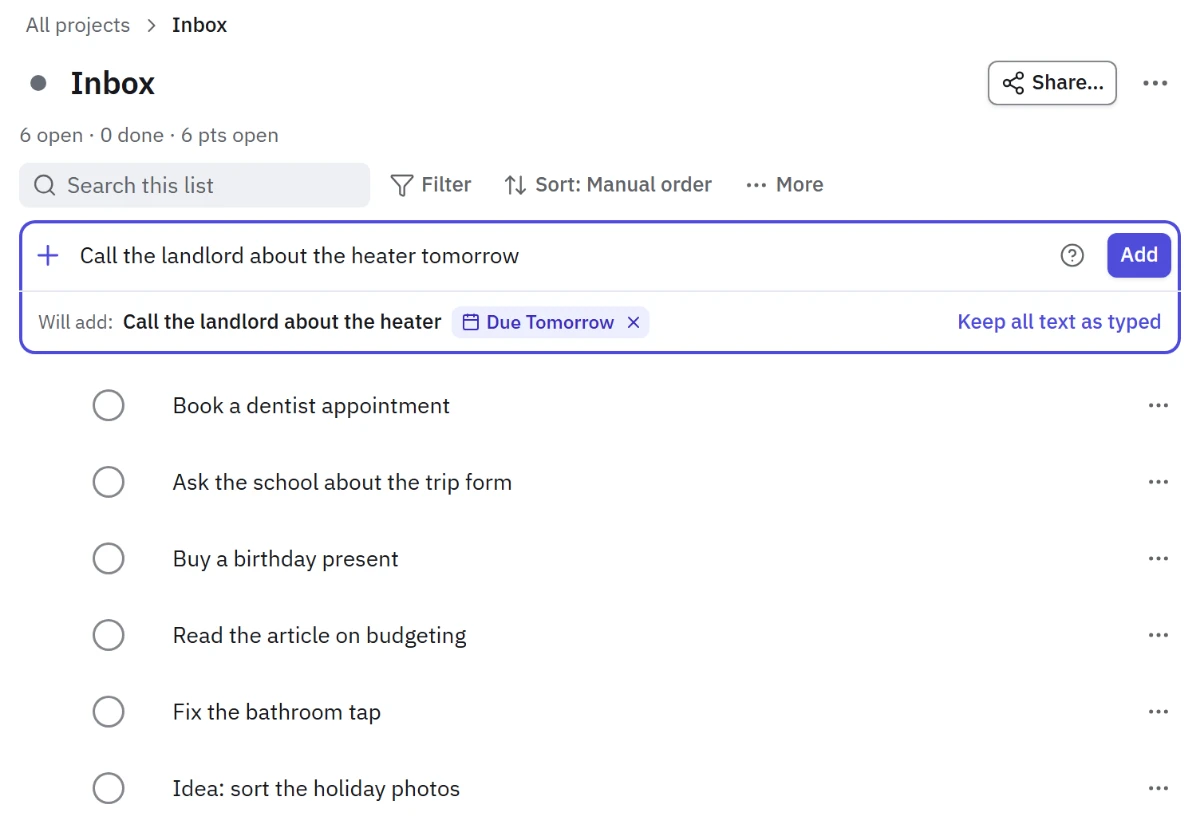
Create a list called Inbox, or use any list you like, and send new tasks there. Quick add understands a task written as one line: Call the landlord about the heater tomorrow adds the task with tomorrow as its due date. Before you add it, the preview shows which words Enjazy understood as a date, a level or a tag. If a word should stay in the title, select × on its chip, or put that part in quotes.
On Windows, press Ctrl Shift Space to add a task from anywhere, even when Enjazy is in the background. You can change the shortcut in Settings. The Compact window and the Sticky note keep your tasks beside your other work. On Android, the same tasks and quick add are in your pocket, and with sync they meet on every device.
When you sort, the Upcoming view helps: tasks without a date wait in its No date group, so nothing undated gets lost. For tasks that come back with the same steps every time, save one as a template (in the Pro plan) and add its sub-tasks in one go next time. If you have turned on the optional AI assistant, it can suggest sub-tasks for a big task. You choose which ones to add.