
Run a small team’s work without drowning in meetings
Most status meetings exist because nobody can see the work. Shared lists, one owner per task and honest due dates let a small team skip most of them.

In a team of three to ten people, meetings multiply quietly. There is the Monday planning call, the Wednesday check-in, the Friday wrap-up, and the "quick sync" that appears whenever something is unclear. Each one makes sense on its own. Together they eat the hours the team needs for the actual work.
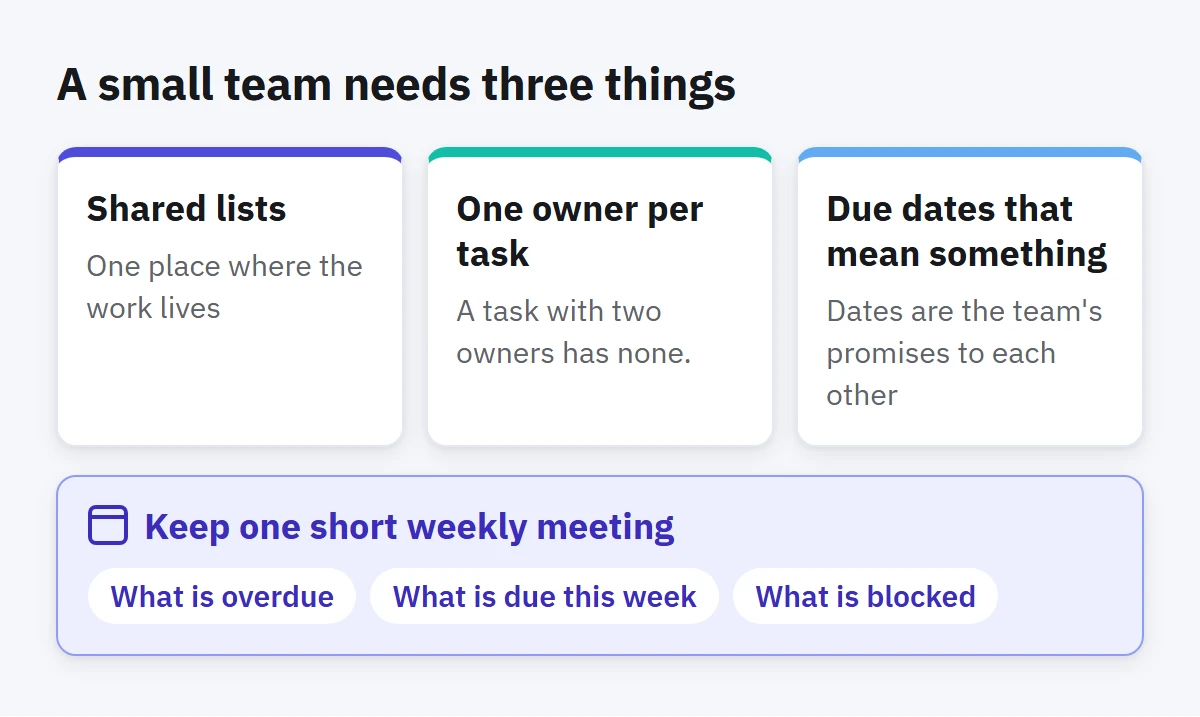
Most of these meetings exist for one reason: people cannot see what the others are doing, so they gather to say it out loud. If the work itself becomes visible, most of the talking can go. A small team needs three things for that: shared lists, a clear owner for each task, and due dates that mean something.
Shared lists: one place where the work lives
The first step is simple and often skipped: agree where the team's work is written down. Not in someone's notebook, not scattered across chat threads, but in shared lists that everyone can open.
Keep the structure plain. One list per area of work, such as Website, Customers or Office, or one project per piece of work with a few lists inside it. If you need a long explanation of where a task should go, the structure is too clever.
A shared list replaces a surprising number of meetings. Anyone can open it and see what is planned, what is in progress and what is done, without asking.
One owner per task
A task with two owners has none. When a task belongs to "the team", everyone assumes someone else has it. The fix is a rule, not a tool: every task has exactly one person responsible for moving it forward. Others can help, but one name is attached.
Make the owner visible at a glance. A simple convention works well: start each task's title with the owner's name, such as "Sara:" or "Omar:", so anyone can see who owns what and how much each person is carrying. When ownership changes, change the name, and say so in a comment.
Ownership also changes the tone of updates. Instead of "where are we on the invoice?" in a meeting, the question becomes a comment on the task, and the owner answers it when they get to it.
Due dates that mean something
Dates are the team's promises to each other, so treat them that way. A due date should mean "this will be done by then", not "it would be nice". If every task has an optimistic date, nobody trusts any of them, and you are back to meetings to find out which dates are real.
Three habits help:
- Set a date only when there is a real reason for it: a customer, a launch, a dependency.
- When a date will slip, move it as soon as you know, and leave a short comment saying why. A moved date with a reason is useful information. A silently missed one is a surprise.
- Split big tasks so that each piece has its own date. "Launch the new site" is not something anyone can finish by Thursday. "Send the homepage copy for review" is.
Replace status meetings with written updates
Once the work is visible, most status meetings can become writing. A few practices make this work:
- Comment on the task, not in chat. Questions, decisions and files belong with the task they are about. Next week, nobody will find them in a chat thread.
- Update before you are asked. When you finish, mark the task done. When you get stuck, say so in a comment straight away.
- Read before you meet. If a meeting is still needed, everyone looks at the lists first, and the meeting covers only what needs a decision.
You will still meet. Some problems are faster to solve by talking, and people need to see each other. But a meeting that exists only to share status is usually a sign that the lists are not doing their job.
Keep one short weekly meeting
Most small teams do well with a single short meeting a week, with the lists open on the screen. Look at what is overdue, what is due this week and what is blocked. Make the decisions that need everyone, and update the lists during the meeting, not after it. Thirty minutes is usually enough. Without a clear agenda it fills an hour.
How to do this in Enjazy
In Enjazy you share a list or a whole project from Sharing, with an invite code that teammates enter to join. On Enjazy Online or your own Enjazy Server, creating shares needs the Pro plan, while joining someone else's share is free on every plan. Each member has a role: the owner manages access, editors can change tasks and viewers can only look. Choosing who can only view needs the Team plan on Enjazy Online, or Pro on Enjazy Server. Changes sync to everyone automatically.
Put the owner's name at the start of the title, and quick add makes it fast: Sara: Send homepage copy for review thu adds "Sara: Send homepage copy for review" with Thursday as its due date. The name is part of the title, so everyone in the shared list sees it; tags stay personal to each member. A smart list (in the Pro plan) with Sara: in Contains words gathers everything she owns, across every list. Every task has comments, so the conversation stays with the work.
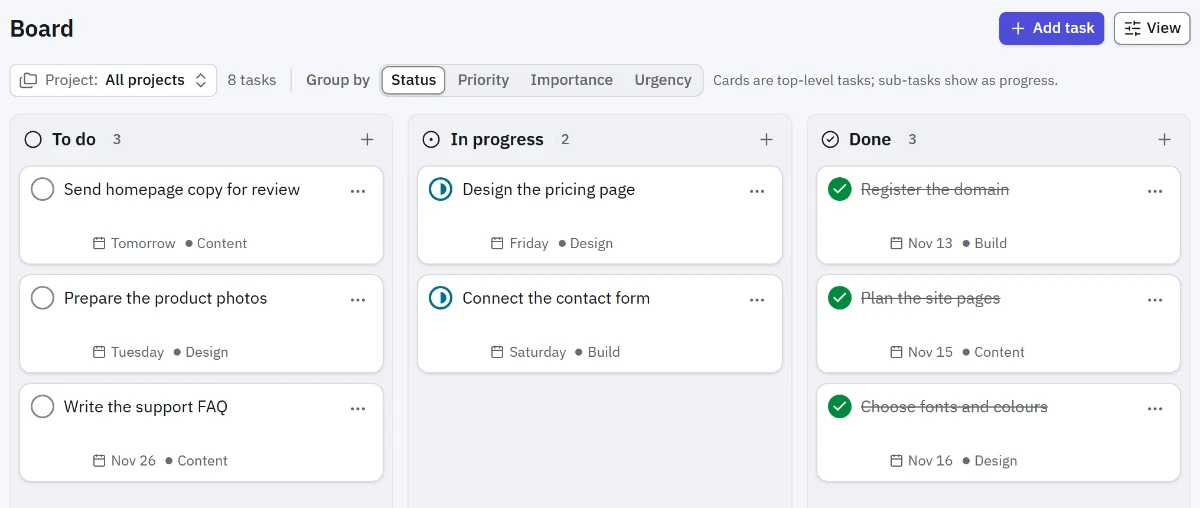
For the weekly look, Board (in the Pro plan) shows tasks in To do, In progress and Done columns, and you can move a card to change its status. Activity (also in Pro) keeps the history of changes, day by day, so you can catch up on what happened without asking. And when work depends on other work, Timeline shows tasks as bars over time, with connectors between dependent tasks. On Enjazy Online it is part of the Team plan.