

The weekly review: half an hour that keeps your week on course
Once a week, step back from the daily rush: clear what piled up, look at what is coming and choose what matters. A simple routine in five steps.

Daily planning answers "what do I do today?". It cannot answer the bigger questions: am I working on the right things? What is about to go wrong? What have I been avoiding for three weeks? Those need a step back, and the step back needs a fixed time, or it never happens.
The weekly review is that time. It is a habit popularised by David Allen's book Getting Things Done, and its idea is simple: once a week, you stop doing and look at the whole picture. Thirty minutes is usually enough. Many people do it on Friday afternoon, when the week is still fresh, or on the first morning of the working week, before the messages start.
Why weekly works
A day is too short to see patterns. A month is too long: by the time you look, the small problems have grown. A week is the right size. It is long enough to show where your time really went and short enough that you can still change course.
The review also gives you something less obvious: permission to stop thinking about everything all the time. If you know that every open loop will be looked at on Friday, you can let it go on Tuesday.
A review in five steps
Keep the same order every week. Routine is what makes it fast.
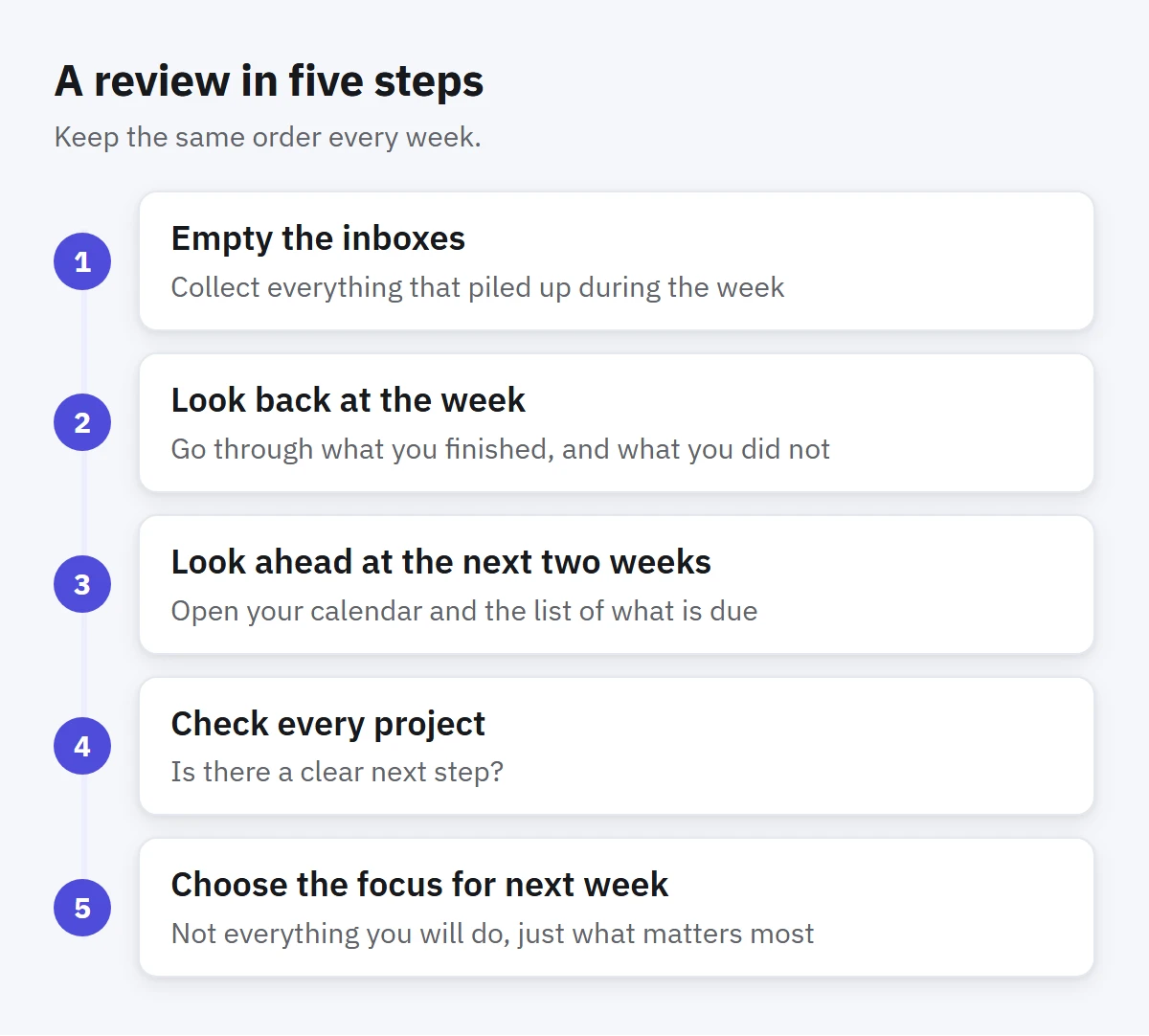
1. Empty the inboxes
Collect everything that piled up during the week: notes on paper, tasks you jotted on your phone, messages that turned into to-dos, ideas from meetings. Put them all in your task inbox, then sort them: do the two-minute ones, give the rest a list, a date if they have a real one, and a level of importance. Delete what no longer matters.
2. Look back at the week
Go through what you finished, and what you did not. Do not judge, just notice. Did the important work get done, or did the week fill up with small things? Which tasks did you move forward day after day? A task you have postponed three times needs a decision: do it, shrink it, hand it off or drop it.
It also helps to ask one honest question: what got in the way this week? The answer is often the same few things, and seeing them written down is the first step to fixing them.
3. Look ahead at the next two weeks
Open your calendar and the list of what is due. Are there deadlines you have not prepared for? Days that are already overloaded? Two big things due on the same day? It is much easier to move a date or start early on a Friday than to discover the clash the night before.
4. Check every project
Go through your active projects one by one and ask: is there a clear next step? A project with no next step does not move, however important it is. For each one, make sure there is at least one concrete task you can start without further thinking.
This is also the moment to notice projects that are quietly dead. If you have not touched something in a month, either revive it with a real next step or move it out of your active work.
5. Choose the focus for next week
Finally, pick the two or three things that would make next week a good one. Not everything you will do, just what matters most. When Monday morning comes, these are the first candidates for your daily three.
Keep it light
The most common reason a weekly review dies is that it grows. People turn it into a two-hour audit, dread it and skip it. If yours takes more than forty-five minutes, cut steps rather than skipping the whole thing. A short review done every week beats a perfect one done twice a year. It also helps to do it in the same place and in the same order each time, with a coffee if you like, so it becomes something you look forward to rather than a chore.
Protect the time like any other appointment. Put it on your calendar, and if you miss it, do a ten-minute version the next morning instead of waiting a week.
How to do this in Enjazy
Start by making the review itself a task. Create a task called Weekly review, set it to repeat every week, and add a reminder. When you complete it, it moves forward to the next week. You can keep the five steps in its notes as a checklist.
For looking back, the Summary panel shows how many tasks you finished this week, your streak and how many tasks are overdue, and tells you when you have beaten last week. Activity (in the Pro plan) lists every change day by day, which helps when you cannot remember where Wednesday went. If you have turned on the optional AI assistant, the Summary panel can also write a short summary of your week. Read it as a starting point and check the details.
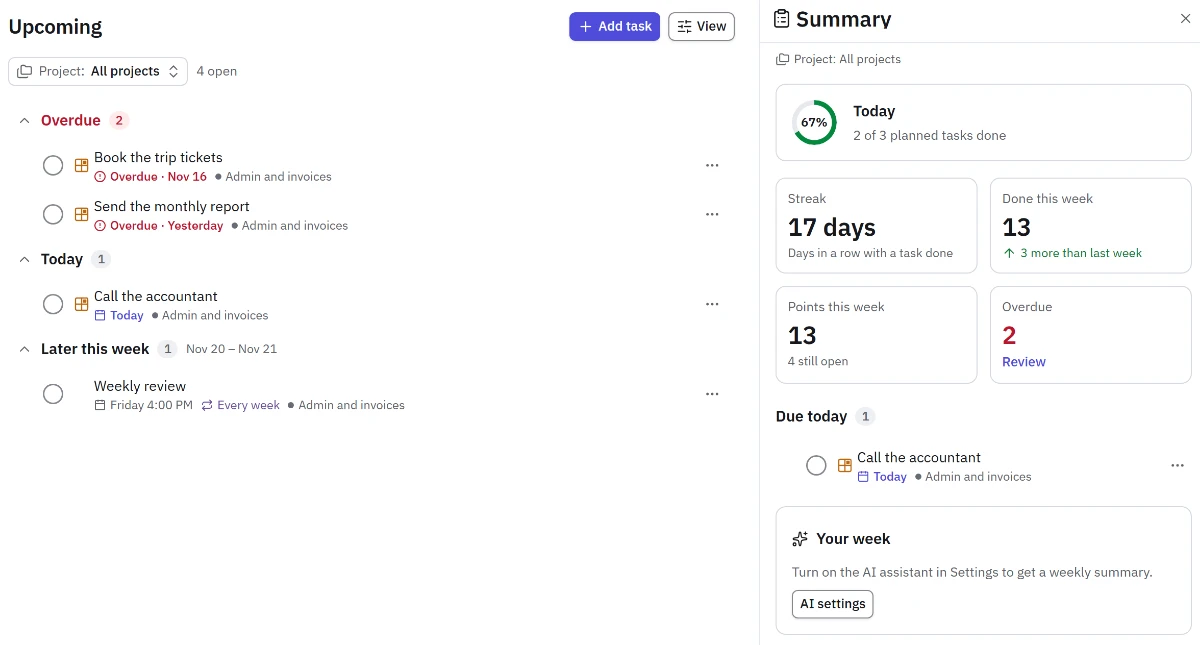
For looking ahead, the Dashboard (in the Pro plan) shows your busiest days over the next two weeks, has Review links that open your overdue tasks and today's tasks in Upcoming, and its Can I finish? card compares what is due with your daily capacity. Upcoming groups the coming days into Later this week, Next week and Later, and Calendar shows the month at a glance. When a review shows that a date has to move, drag the task to another day in Calendar or another group in Upcoming.