

How to stop procrastinating: start the task you keep putting off
Procrastination is rarely laziness. Name the first step, give it a start time and work on it for fifteen minutes, and the task you keep moving starts to move.
It is nine in the morning and the same task is still at the top of your list, where it has sat for a week: the report you have not started, the call you dread, the form you know will eat an hour. You finish ten small things around it, move it to tomorrow again, and carry a low hum of guilt until evening.
Learning how to stop procrastinating has less to do with willpower than with changing the shape of the task in front of you. Here is a practical routine in six steps, and a checklist you can run on any task you keep putting off.
How do you stop procrastinating? Start with the smallest possible step, not the whole task. Break the task down until its first step is clear and short, give that step a time to start rather than only a deadline to finish, and work on it for one focus session of 15 to 25 minutes. Starting takes the weight off, and a little progress pulls you forward.
Why we put tasks off
Procrastination is rarely laziness. A lazy person does not feel guilty; someone who procrastinates thinks about the task all day and still does not begin. Usually the problem is not a lack of time but something about the task itself that makes you want to look away. The most common causes are:
- The task is vague. "Work on the website" does not tell you where to begin, so your mind goes looking for something clearer.
- The task is big. When a task feels like a whole project, no hour ever seems right for it, so you wait for a better moment that never comes.
- You fear a poor result. Many people delay starting because they want the first attempt to be good.
- The task is unpleasant. An awkward phone call, official paperwork, a hard conversation with a colleague.
- Nobody decided when it starts. It has a deadline, but no start time.
Once you know the cause, you know the cure. A vague task needs its first step named, a big one needs splitting, and an unpleasant one needs a fixed time you commit to in advance.
Six steps to stop procrastinating
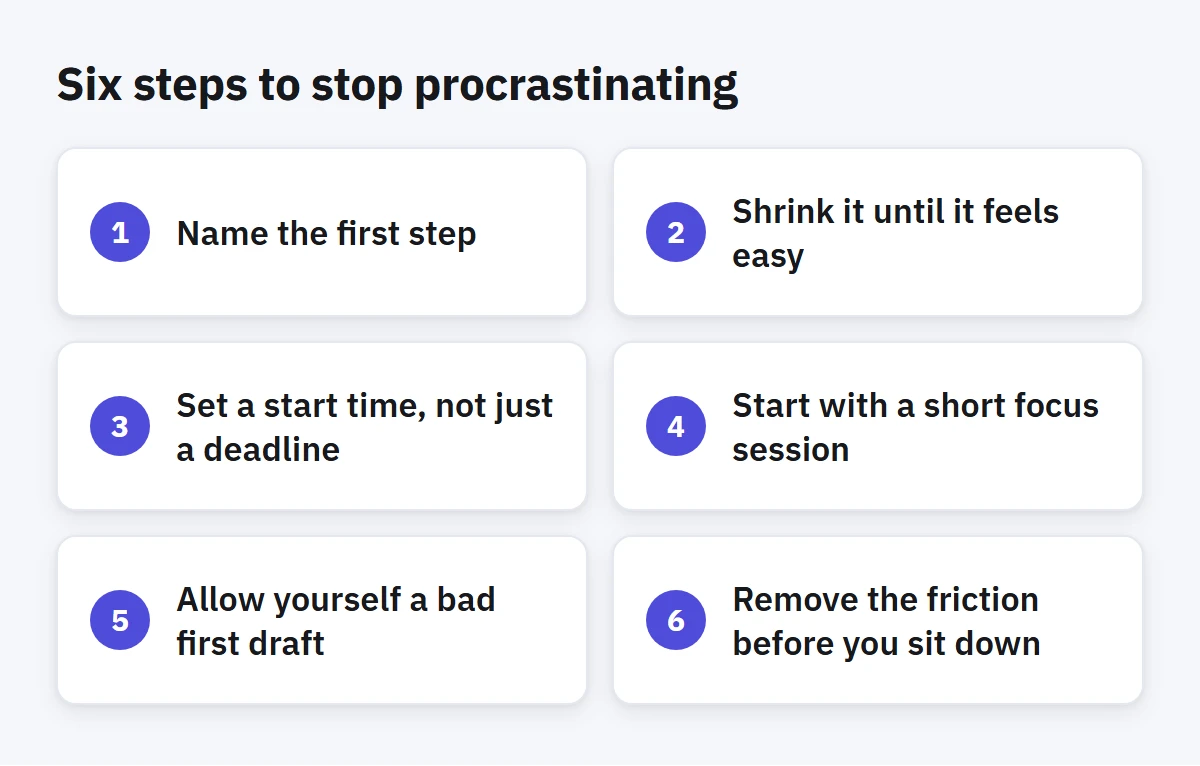
1. Name the first step
Write down the first concrete action you could take right now, with a clear verb and a specific object: "Open the report file and write the section headings", not "Report". The question that stops you is usually not "can I do this?" but "where do I start?", and a named step answers it before you sit down.
2. Shrink it until it feels easy
If you still feel resistance when you look at the first step, it is still too big. Shrink it again until you can honestly say: "I could do this in ten minutes." Do not be embarrassed by a step that looks trivial, such as "Send one email to the accountant asking for the figures". Stuck tasks move on trivial steps far more often than on big resolutions.
3. Set a start time, not just a deadline
A deadline tells you when the task must be finished. It says nothing about when to begin. So give the task you keep postponing a day and an hour to start: "Monday, 9 am, draft the headings." A fixed start replaces the question "when should I start?", which you would otherwise ask yourself all day, with one decision made in advance.
Put that start in your best hours if you can. A task you dislike will not feel any easier at five in the afternoon.
4. Start with a short focus session
Do not promise yourself to finish the task. Promise fifteen minutes on it, nothing more. Start a timer and work only on the first step until it ends. When the time is up, you are allowed to stop without guilt. Most of the time you will want to keep going, because the hardest part of the task was starting it. For more on running these sessions, see Focus sessions.
5. Allow yourself a bad first draft
Agree with yourself that the first attempt will be rough, and that improving it is a separate job for later. Write the first paragraph however it comes out, sketch the table with crooked lines, send the question in plain words. A bad draft that exists is worth far more than a perfect one that has not started.
6. Remove the friction before you sit down
Prepare the evening before: open the file, gather the references, write the first step at the top of the page. When you sit down in the morning, the only thing between you and the work is beginning. The fewer steps between you and the start, the fewer gaps procrastination can slip through.
A checklist for the task you keep moving
Copy these questions and run them on any task you have moved to tomorrow more than once:
- What is the first step, as a clear action? Write it in one line.
- Can I do it in 15 minutes? If not, shrink it.
- When do I start? Pick a day and an hour, not just a deadline.
- What do I need before I begin? Get it ready now.
- What exactly bothers me about it? Name it. A named discomfort is a lighter one.
- Is it still worth doing? If the answer is no, delete it.
When you postpone a task for the third time
A task you have moved three times is telling you something: its current shape does not work for you. Before you move it a fourth time, choose one of four answers. Start it today with a ten-minute step, shrink it until it becomes possible, hand it to someone better placed to do it, or delete it honestly. Some tasks stay on our lists because we feel they ought to be there, not because we will ever do them.
And do not judge yourself for procrastinating. Blame makes a task heavier, and heaviness is one more reason to put it off. It is enough to ask: what is the smallest thing I can do now?
How to do this in Enjazy
Open the task you keep moving and add sub-tasks for its first steps, making the first one short and clear, beginning with a verb. If you have turned on the optional AI assistant, it can suggest sub-tasks for a big task. You choose which ones to add.
For the start time, give the task a start date next to its due date, and give it a time. A timed task sits at its hour in the Week view of Calendar, and if you turn on start-to-due spans in the view options, a task with a start date shows as a bar running from its start to its due date. Quick add makes this fast: Draft report headings mon !!! adds a task due on Monday with high importance.
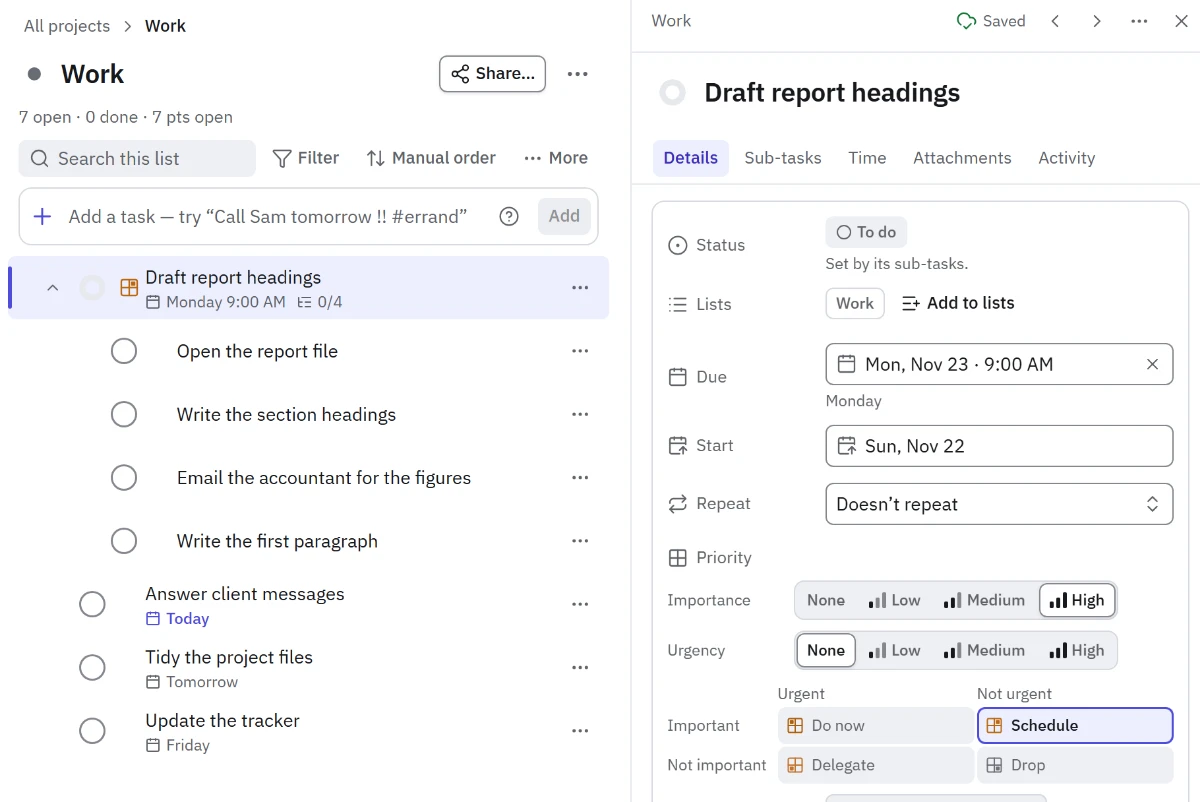
When you begin, start the task's timer and the task moves to In progress. In the Windows and Android apps, focus sessions (in the Pro plan) let you set a session length in Settings; when the session ends, Enjazy stops the timer and notifies you. Start short, fifteen minutes for example, and lengthen the sessions once starting feels easier.
Upcoming gathers the tasks whose date has passed in its Overdue group, so what you keep putting off is right in front of you instead of hidden. Move each one on purpose to a day you choose, by dragging it or from its menu, rather than letting the pile grow. And at the end of the day, the Summary panel shows your streak of days with at least one task done, a gentle reminder that small steps count.
Start with the task you have been avoiding the longest: create a free account at the.enjazy.app, download the apps from enjazy.app/download, or see the plans at enjazy.app/pricing.