

How to plan a day you can actually finish
Most daily to-do lists are too long to finish. Pick three tasks that matter, give them time on your calendar, and let the rest wait without guilt.

Most to-do lists fail in the same way. You write down everything you could do today, the list grows to fifteen items, and by evening you have finished six of them, mostly the easy ones. The list was never a plan. It was a record of everything on your mind.
A day you can finish starts from a different question: given the hours I really have, what will I do with them? Here is a simple routine that answers it in about ten minutes each morning, or the evening before.
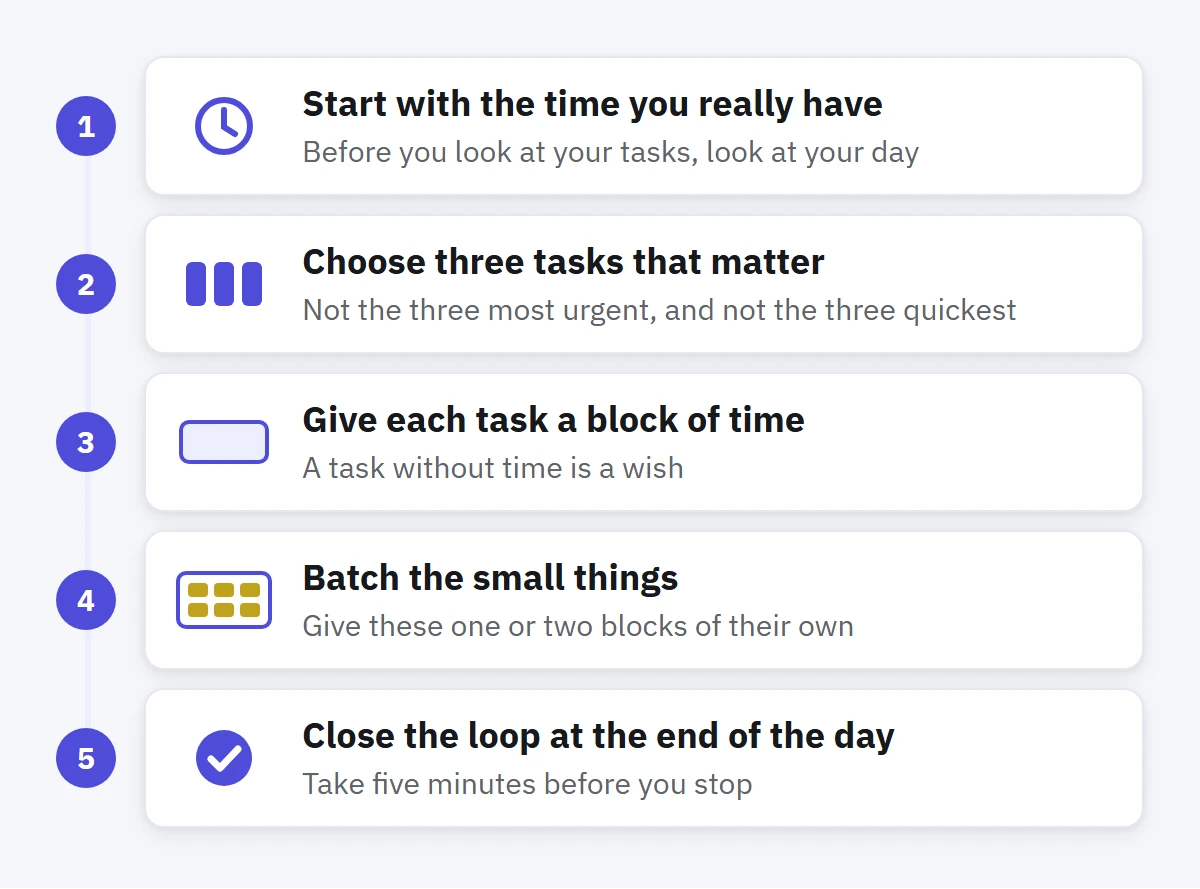
Start with the time you really have
Before you look at your tasks, look at your day. Count the meetings, the commute, the school run, and the hour that always disappears into messages after lunch. What is left is your working time, and it is usually less than you think. A full working day often holds three or four hours of focused, uninterrupted work, sometimes less.
Write that number down. It is the budget every choice below has to fit into.
Choose three tasks that matter
Now pick the three most important tasks for the day. Not the three most urgent, and not the three quickest. For each candidate, ask: if this were the only thing I finished today, would the day still count?
There is nothing magic about three, but it works for a reason. One is fragile: if that single task gets blocked, the whole day goes with it. Five or more quietly turns back into the list of fifteen. Three is enough to make real progress and few enough to protect.
A few rules make the choice easier:
- At least one of the three should move something important forward, not just keep things running.
- Each one should be specific enough to finish. "Work on the report" is a topic. "Draft the budget section of the report" is a task.
- If a task is too big for one day, split it and pick the first piece.
Give each task a block of time
A task without time is a wish. Once you have your three, put them on your calendar as blocks. The first and hardest goes into your best hours, which for most people means the morning. The other two follow. Leave gaps between the blocks: work runs over, and a day with no slack breaks at the first phone call.
Blocking time also shows you early when a day cannot work. If your three tasks need five hours and you have three, you find out at eight in the morning instead of six in the evening. Cut a task or shrink it now, while it is still your choice.
Batch the small things
Everything else still needs doing: the replies, the quick fixes, the forms. Give these one or two blocks of their own, say half an hour before lunch and half an hour at the end of the day, and work through as many as fit. When the block ends, stop. Whatever is left moves to tomorrow, or to a later day you pick on purpose.
Small tasks are dangerous in a specific way. They feel productive, they are easy to start, and they never run out. If they get the best hours of your day, the important work gets the tired ones.
Close the loop at the end of the day
Take five minutes before you stop. Mark what you finished. For anything unfinished, decide where it goes: tomorrow, a specific later day, or back to your list with no date. Then glance at tomorrow and choose the task you will most likely start with. You begin the next morning with a decision already made, which is the easiest way to start well.
Some days your plan will fall apart by ten o'clock. That is normal. When it happens, do not rebuild the whole day. Ask one question: of my three, which one can I still finish? Then protect the time for that one.
How to do this in Enjazy
Enjazy opens on Upcoming, which groups your open tasks into Overdue, Today, Tomorrow and later days, with the most pressing tasks first in each group. That makes it a natural place for the morning choice. Look at Today and Overdue, and move whatever you will not do today to Tomorrow or another date. You can drag a task to another group, or reschedule it from its menu.
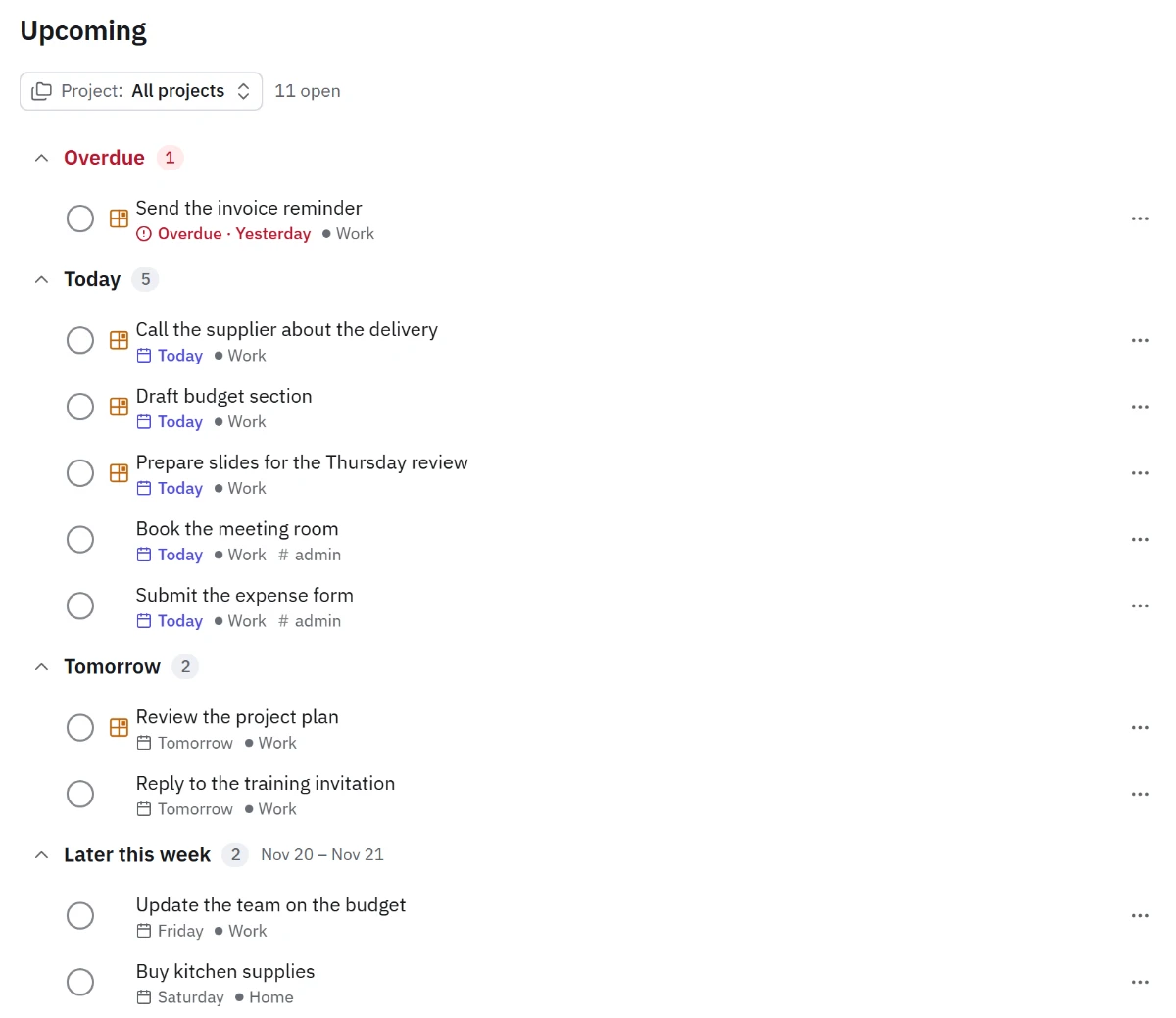
To mark your three, give them high importance. Quick add does it while you type: Draft budget section today !!! adds a task due today with high importance. Add the small things with a tag such as #admin so you can find them together when their block comes.
For time-blocking, open Calendar in Week view. A task with a time sits at its hour, and you can drag it to another hour or another day. If you want a reality check for the coming weeks, the Dashboard (in the Pro plan) has a card called Can I finish? It compares the tasks due over the next two weeks with your daily capacity, the number of tasks you can usually finish in a day, and tells you whether you are on track, tight or at risk.
At the end of the day, the Summary panel shows how many of today's planned tasks you finished and your streak of days with at least one task done. It is a quick, honest check, and a good moment to set up tomorrow.