

The priority matrix in practice
Important or urgent? Sorting tasks on two questions instead of one shows what to do now, what to schedule, what to hand off and what to drop.

Most of us sort our work on a single question: how soon is it due? It feels sensible, but it has a cost. The loud, close tasks always win, and the work that matters most but has no deadline this week keeps sliding to next week, and the week after.
The priority matrix fixes this by asking two questions instead of one. It is often called the Eisenhower matrix, after the American president it is usually credited to, and it fits on the back of an envelope.
Two questions, four boxes
For every task, ask:
- Is it important? Does it move a goal forward, protect something you care about, or matter in a month's time?
- Is it urgent? Does it need attention soon, or will something go wrong if it waits?
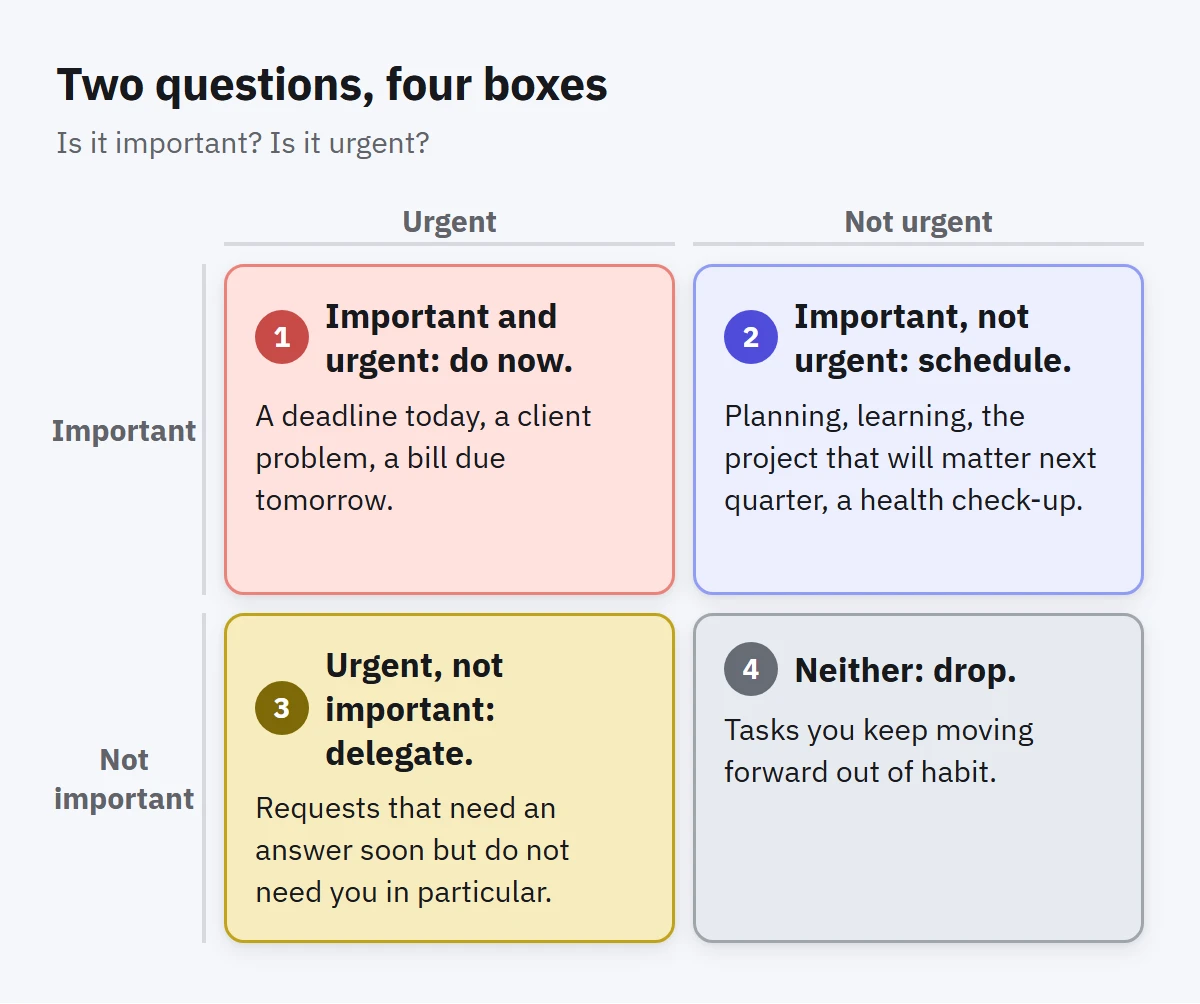
The answers put each task into one of four quadrants:
- Important and urgent: do now. A deadline today, a client problem, a bill due tomorrow. Do these first.
- Important, not urgent: schedule. Planning, learning, the project that will matter next quarter, a health check-up. Give these a time, because nothing else will.
- Urgent, not important: delegate. Requests that need an answer soon but do not need you in particular. Hand them to someone else if you can, or keep them short.
- Neither: drop. Tasks you keep moving forward out of habit. Delete them, or at least admit you will not do them.
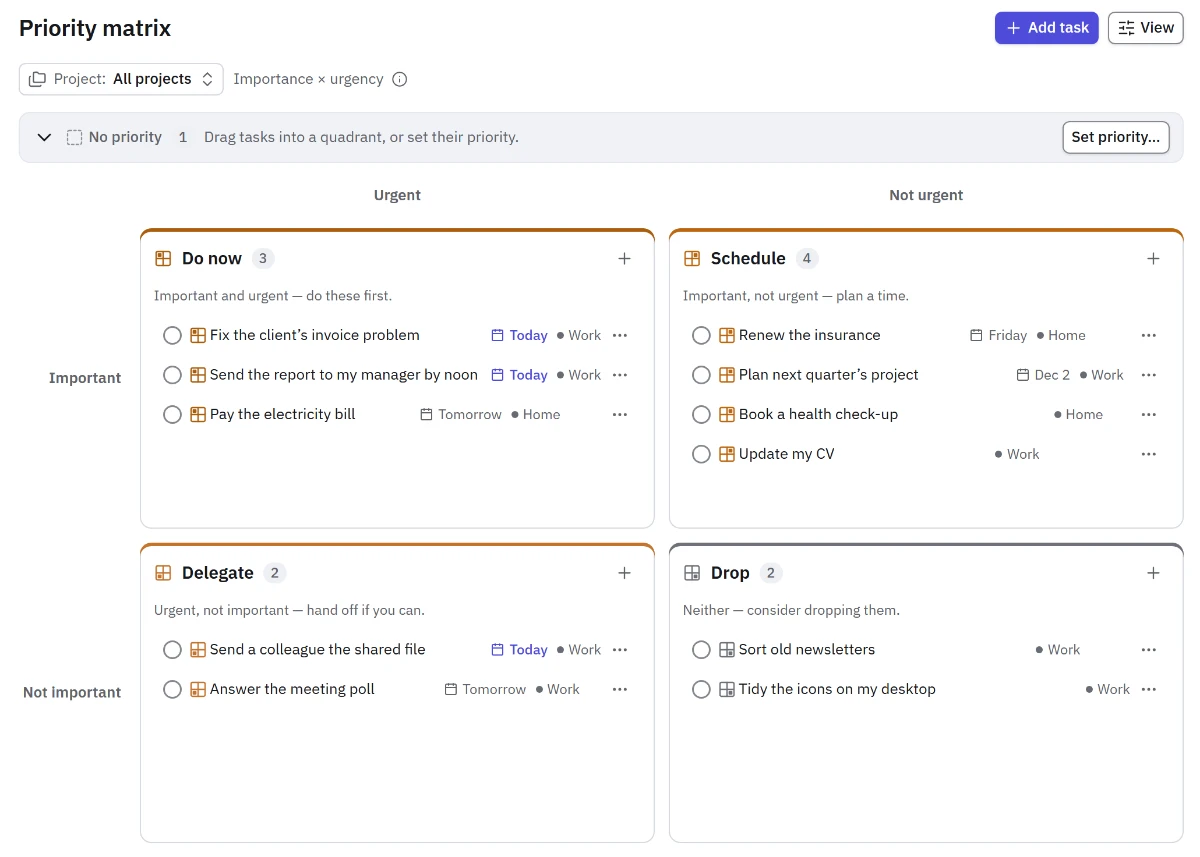
Take an ordinary day: a report your manager needs by noon (do now), updating your CV, which you have put off for months (schedule), a colleague asking for a file that is already in the shared folder (delegate, or answer in a minute), and tidying the icons on your desktop (drop). Once the tasks sit in their boxes, it is clear where the first hour of the morning should go.
The quadrant that matters most is the second
It is tempting to see the matrix as a way to handle emergencies. Its real value is in the second box. Important but not urgent work is where progress happens: the improvement that prevents next month's emergency, the conversation that saves a project, the course that makes the next job easier.
If you work only from the first box, you are always busy and rarely ahead. A useful habit is to choose one task from the second box every day and give it real time before the first box can fill your morning.
Make the questions honest
The matrix only helps if your answers are honest, and two traps catch almost everyone.
The first trap is calling everything important. If ten tasks out of twelve are important, the word has stopped meaning anything. Try ranking instead: if you could only do half of these, which half would you keep?
The second trap is confusing urgent with noisy. A message marked high priority by someone else is not urgent for you just because it arrived with a bell. Ask what actually happens if it waits until tomorrow. Often the answer is nothing.
It also helps to separate the two judgements in time. Decide importance when you add a task, while you still remember why it exists. Revisit urgency as dates come closer. A task that is important but not urgent today will move into the first box on its own if you leave it long enough, which is exactly what the matrix is trying to prevent.
Use it daily, briefly
You do not need a long session. Once a day, look at the four boxes:
- Is anything in Do now that you have not planned time for? Plan it.
- Is there one task in Schedule that deserves a slot today or tomorrow? Give it one.
- Can anything in Delegate go to someone else, or be answered in two minutes and closed?
- Is anything in Drop still pretending to be a task? Let it go.
Five minutes is enough. The goal is not a perfect matrix. It is a quick, regular look that keeps the important work from being buried.
A note on "medium"
Real tasks are rarely just yes or no. Many tools, Enjazy included, let you choose low, medium or high for each question. When you place tasks in the matrix, it helps to decide what medium means. Enjazy counts medium as important or urgent, which errs on the side of not losing things. If too much ends up in Do now, that is a sign to be stricter with your levels, not a reason to work longer hours.
How to do this in Enjazy
In Enjazy, every task has two separate levels: importance and urgency. You can set them while you type with quick add. Exclamation marks set importance and carets set urgency, so Renew the insurance fri !!! ^ adds a task due on Friday with high importance and low urgency.
The Priority matrix view (in the Pro plan) places your open tasks in the four quadrants: Do now, Schedule, Delegate and Drop. Tasks you have not given levels wait in a separate No priority tray instead of mixing into Drop. When you drag a task to another quadrant, Enjazy changes only the levels it needs to and tells you what changed. You can also add a task straight into a quadrant with its levels already set.
The same priority shows up across the app. Upcoming lists Do now tasks first in each group of dates, and Board (also in Pro) can group your cards by priority. If you have turned on the optional AI assistant, it can suggest a priority for a task with a short reason. The decision stays yours.