

How to make a study plan for the semester, and get through exam season
Put every exam and deadline in one calendar, give each course a project, and plan revision backwards from the exam, with fixed study sessions every week.
In the first week of the semester everything looks far away: the midterm is two months off, the project three, and the final somewhere past the horizon. Then week ten arrives with three assignments, two exams and a group project in the same ten days. It rarely happens because you are lazy. It happens because the dates were scattered between the university portal, the class group chat and your memory.
With end-of-semester exams coming up at many universities, and a new semester right after them, this is a good moment to build a study plan that works for both.
How do you make a study plan for the semester?
Start by collecting every date: exams, assignments, projects and presentations, all in one calendar. Then give each course its own project with its lectures, assignments and revision, and book fixed study sessions every week. Plan your revision backwards from each exam, starting at least three weeks before it, so the last days are for practice, not for learning from scratch.
Start your study plan from the dates, not the books
Open the course outline for each course and pull out every date in one sitting. If a date has not been announced yet, write an estimate and correct it later; a rough date in your calendar beats an exact one you have to go looking for. Look for:
- Quizzes and their dates.
- The midterm and the final.
- Assignments and their due dates.
- Project stages and presentations.
- The weight of each item in your grade.
Once everything is in one calendar, look at the semester as a whole. You will see at once which weeks are crowded and which are quiet, and the quiet weeks are where you get ahead.
The weights matter too. An assignment worth 30 percent of the grade deserves more time than a 5 percent quiz, even if the quiz comes sooner. Give the heavier items higher importance from the start.
One project per course
Mixing every course in one list makes it hard to see where you stand in each. Give every course a project with three lists:
- Lectures: one task per lecture to review and summarise.
- Assignments and projects: each with its due date.
- Revision: the steps of your exam preparation.
Keep one more list for university admin: registration, fees, forms and emails to professors. These small jobs have deadlines too, and they are easy to forget during exam season.
Fixed study sessions every week
A good semester is mostly won in ordinary weeks, long before the exams. Fixed weekly sessions, at the same time and if possible in the same place, carry you further than long nights before an exam. A sample week:
- Lecture days: one hour on the same day to summarise that day's lectures while they are fresh.
- Two other days: two hours for the next assignments.
- The last working day: one hour to review the week and update your dates.
- The weekend: one session for your hardest course.
Study in timed sessions: 25 minutes for heavy material, 50 when you are in the flow, with a real break in between. The article Focus sessions explains how to run them.
A revision plan that starts from the exam day
The usual mistake is to start revising "when there is time". Start from the exam day instead and count back:
- Three weeks before: catch up on missed lectures and write a short summary of each chapter.
- Two weeks before: solve exercises and problems chapter by chapter, and mark what you do not understand.
- The last week: do past papers under a time limit, and go back to your weak points only.
- The day before: a light pass over your summaries, and enough sleep.
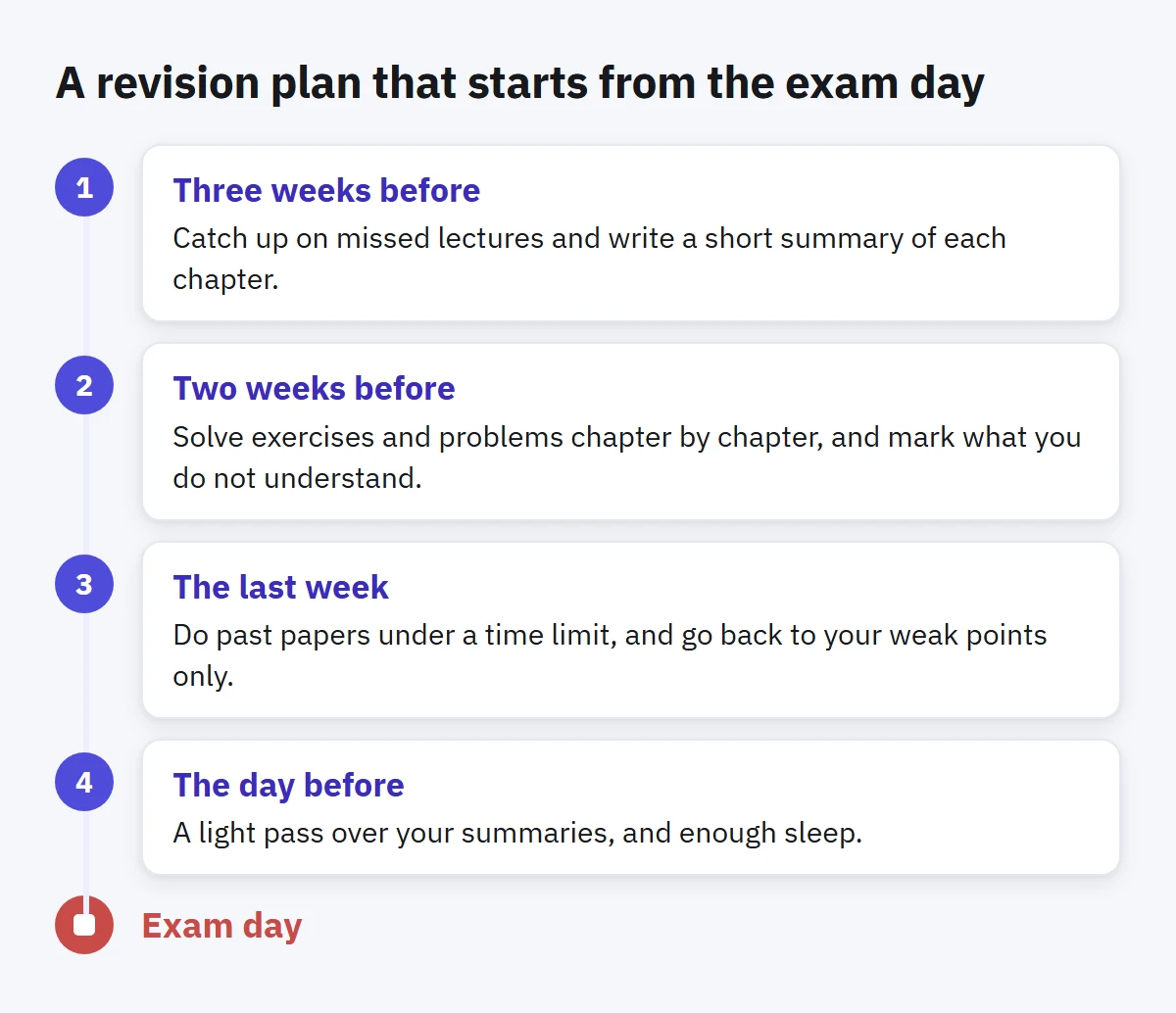
Give each step a date in your calendar. When two exams are close together, start the later exam's steps earlier, so the two plans overlap instead of colliding.
Exam season: when courses pile up
When exam season arrives, lay all your exams out in one place and count the days between them. Give the heavier and harder courses more days. Each day, pick one main course and add a light review of another one, rather than spending whole days on a single course and forgetting the rest.
Avoid nights without sleep. They feel productive, but they take more from the next day than they give. And keep capturing: when a task that has nothing to do with studying comes up, write it down for after the exams instead of letting it fill your head.
How to do this in Enjazy
In Enjazy, create a project for each course with its lists. When you study, activate that course's project, and every view shows only its tasks. Add the dates with quick add: Statistics midterm 2026-12-28 !!! adds the exam with its date and high importance, and Physics assignment 3 thu !! adds an assignment due on Thursday.
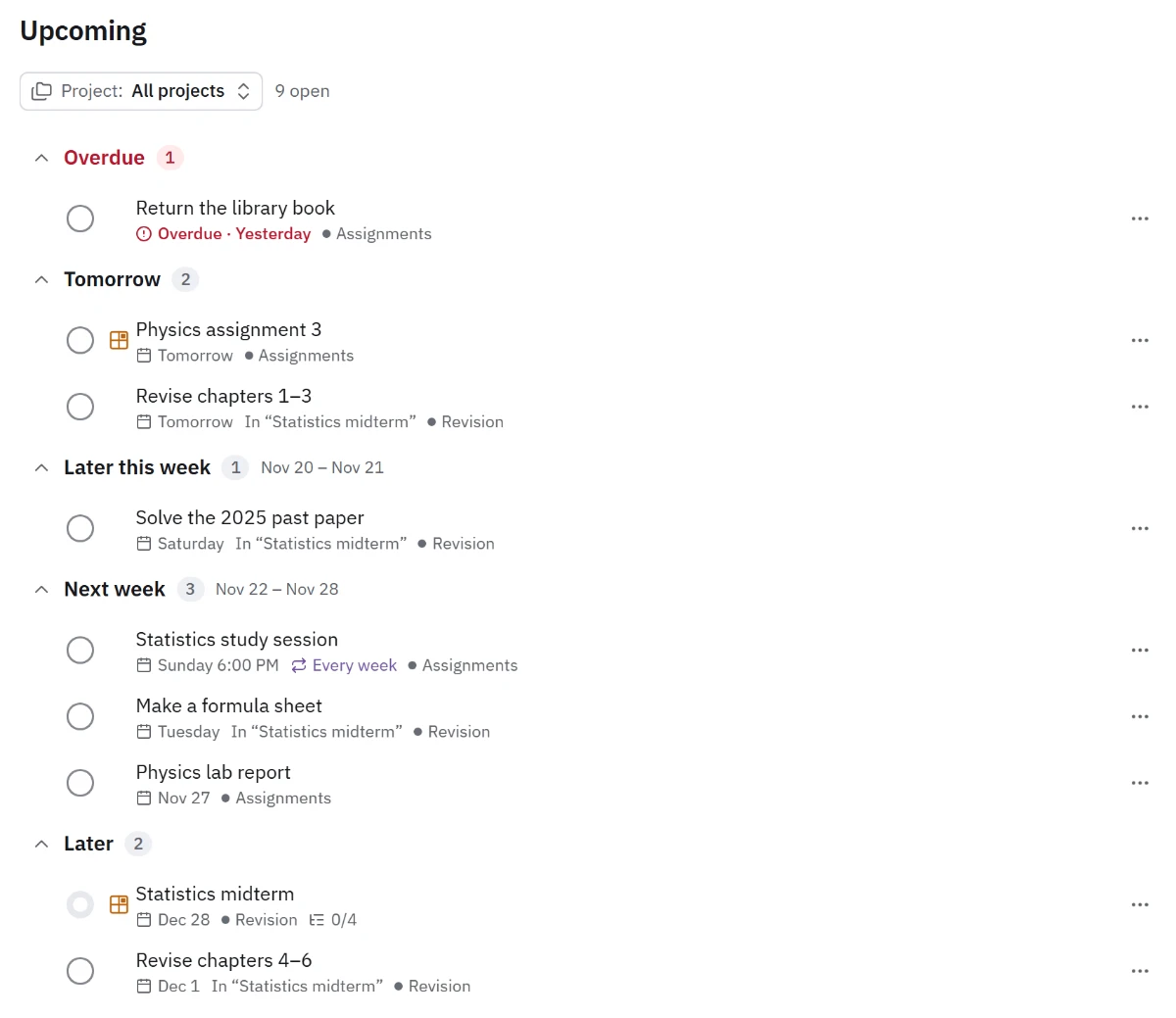
Calendar shows the month at a glance, and its Week view shows each day's hours. Give a task a time and it sits at its hour; give a long assignment a start date as well as a due date and turn on start-to-due spans in the view options, and Calendar shows it as a bar from start to finish. For weekly study sessions, give a task a repeat on the days you choose, such as Sunday and Tuesday. When you complete it, it moves to its next date. Upcoming keeps the next few days in front of you: Overdue, Today, Tomorrow and Later this week.
Add the revision steps as sub-tasks of the exam, each with its own date, and each step appears on its own in Upcoming under its date. To reuse the same revision steps for every course, save the task once as a template (in the Pro plan) and add it to each course's Revision list in one step. Before exam season, the Dashboard (in the Pro plan) shows your busiest days over the next two weeks, and focus sessions (also in Pro) in the Windows and Android apps time your study sessions for you.
Studying with a group? Share a list on Enjazy Online so everyone sees the same tasks. Creating the share needs the Pro plan; joining it is free on every plan.
Put this semester's dates in one place today: download Enjazy, which is free and works on your device without an account, or create a free account at the.enjazy.app to keep your phone and laptop in sync. See the plans when you need more.